How to Play TrapRush
Last updated:
TrapRush is a free multiplayer party platformer for 2 to 12 players. Every round, all players add one item to the same course. Some build a bridge, some hide a saw under it. Then everyone races to the flag at the same time. Make it to the end while your friends don't, and you score.
Play now in your browserStarting a game
1. Pick a character and join a game
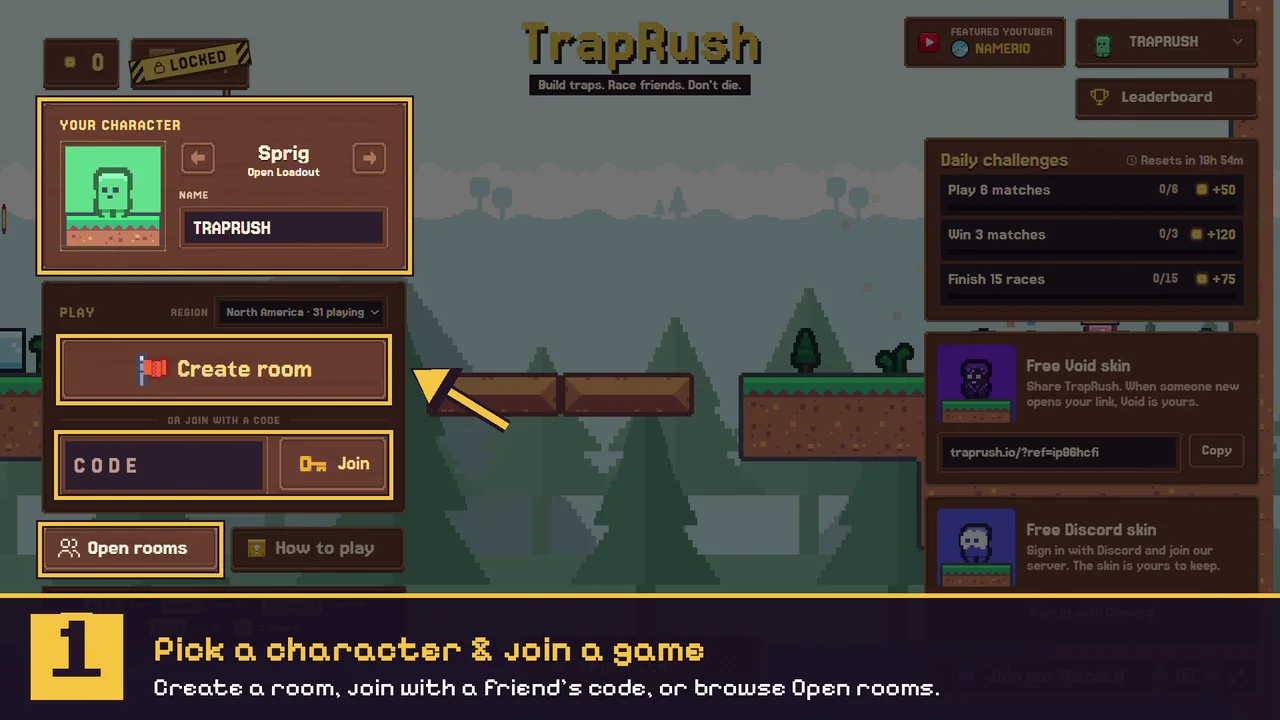
On the home screen, use the arrows to switch skins or click your character to open the Loadout, where you can also choose a hat. Type a name of up to 16 characters. You can play as a guest, or log in with Google or Discord to keep your profile, level, achievements and match history.
Click Create room to host. You choose the map, whether the room is public or private, and how long each phase lasts. To join a friend, type their four-letter room code and press Join, or open their invite link. Play lists public games you can jump into, including games that have already started.
2. Invite friends and press Ready
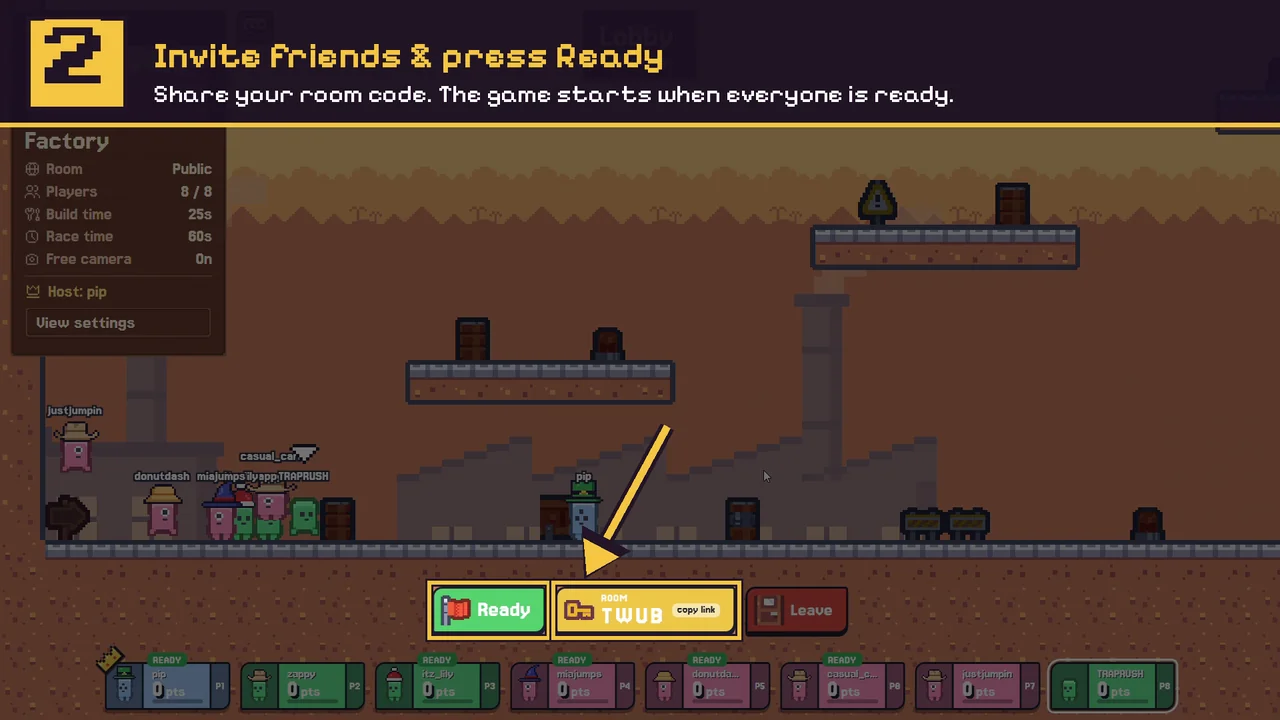
In the lobby you can run around and practice jumping while people arrive. Share the room code or copy the invite link and send it to friends. When everyone has pressed Ready, the game starts. The host can also start early or remove players.
How a round works
Every round has the same three steps: pick, build, race. Rounds repeat until someone wins.
Pick: grab an item from the Party Box
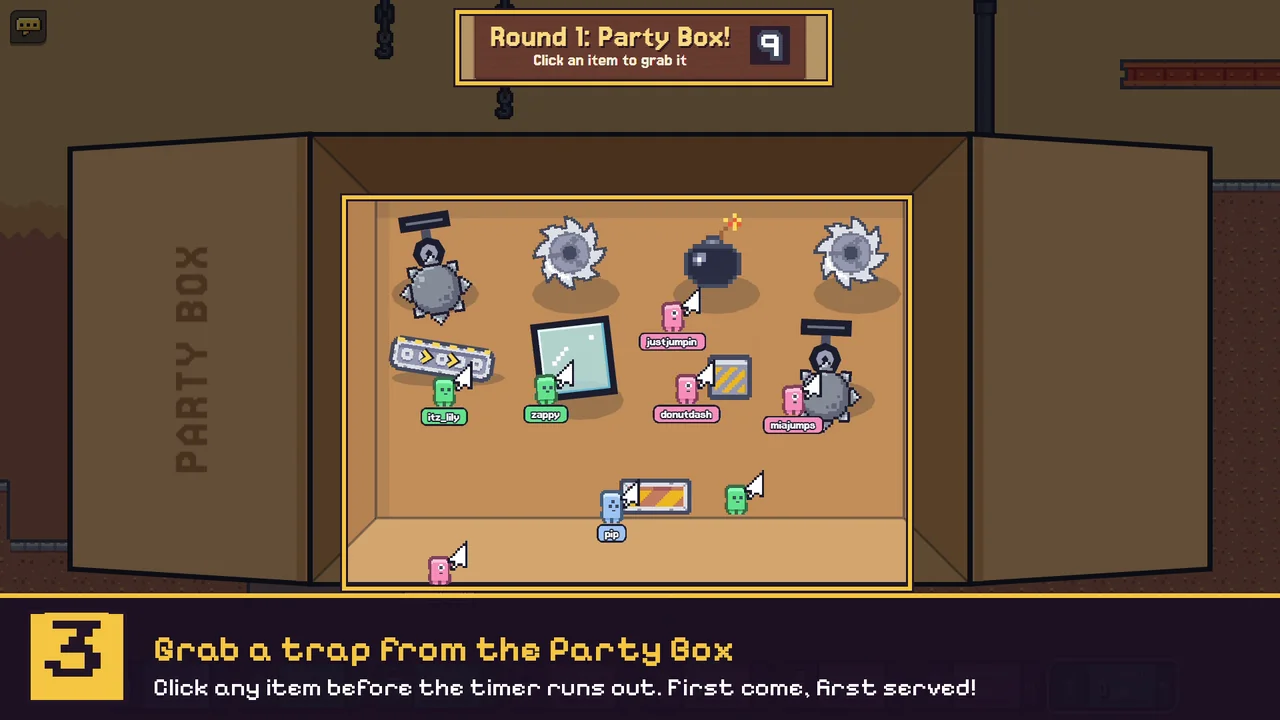
A Party Box opens with a random selection of items, one more than the number of players. Click an item (or press its number key) to take it. It's first come, first served, so the best items go fast. You have 10 seconds to choose.
Build: place your item on the course
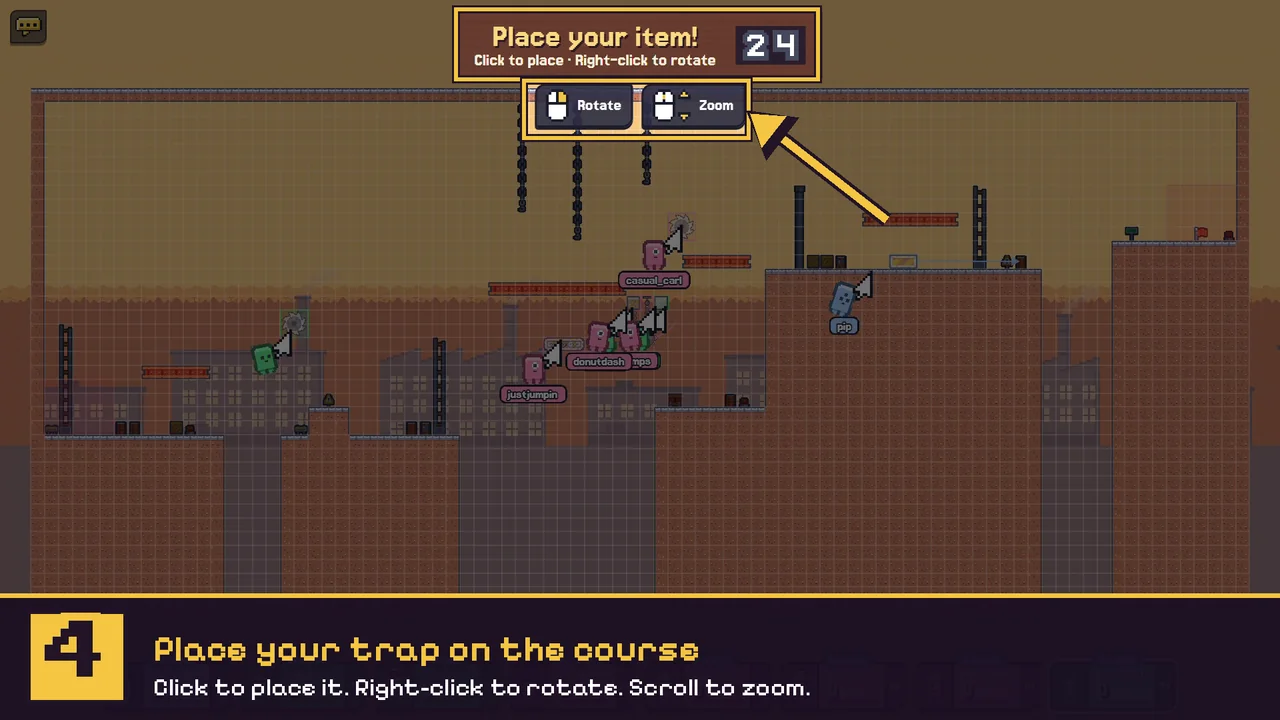
Everyone places their item at the same time. Move the mouse to aim, right-click to rotate, and click to place it. You can see where the other players are aiming. Items can't cover the start or the flag, and they stay on the course for the rest of the game, so the level gets harder every round.
Race: reach the flag
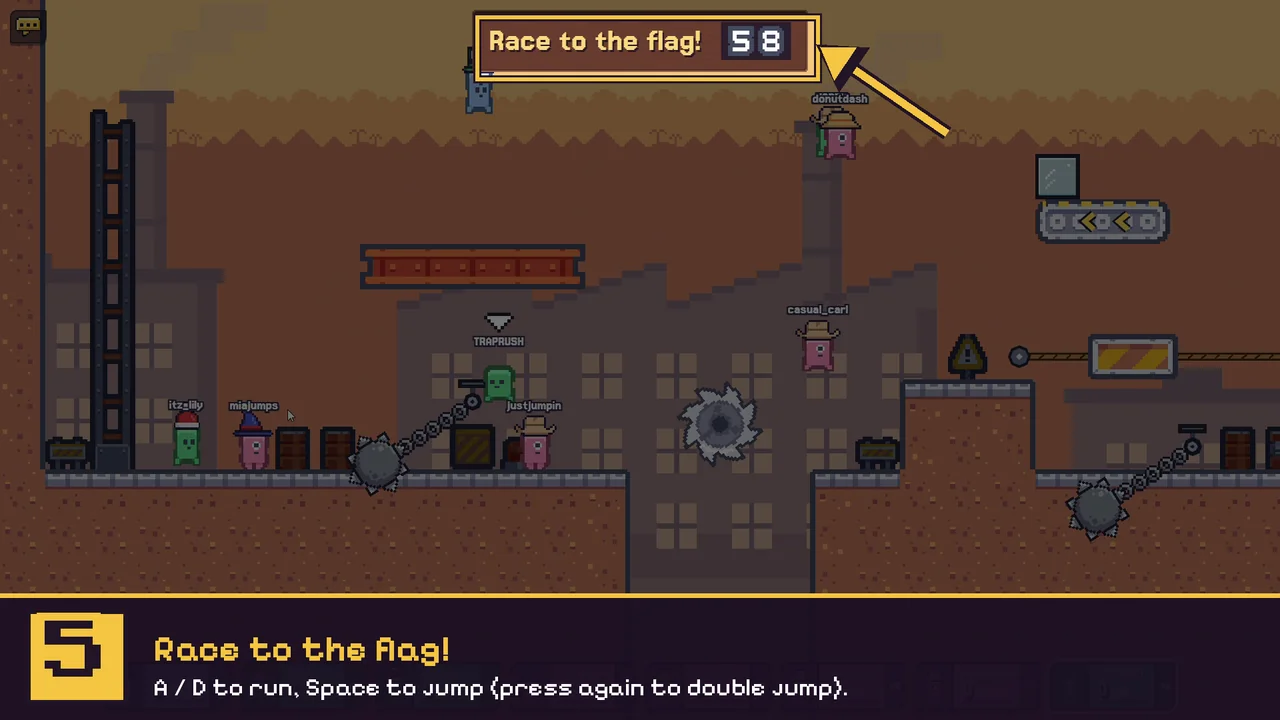
After a three-second countdown, all players race from the start to the flag. Touching a hazard, or falling off the map, knocks you out until the next round.
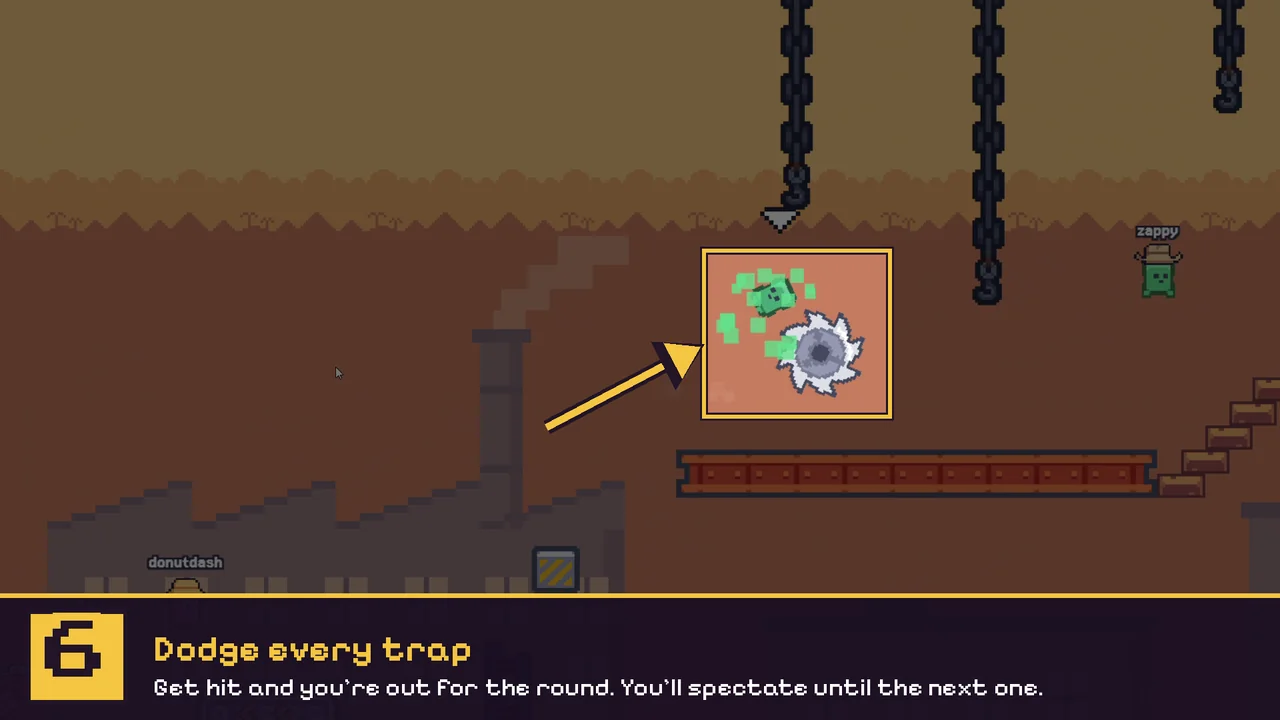
Once you're out, you can spectate the players still running. The race ends when everyone has finished or been knocked out, or when the timer runs out.
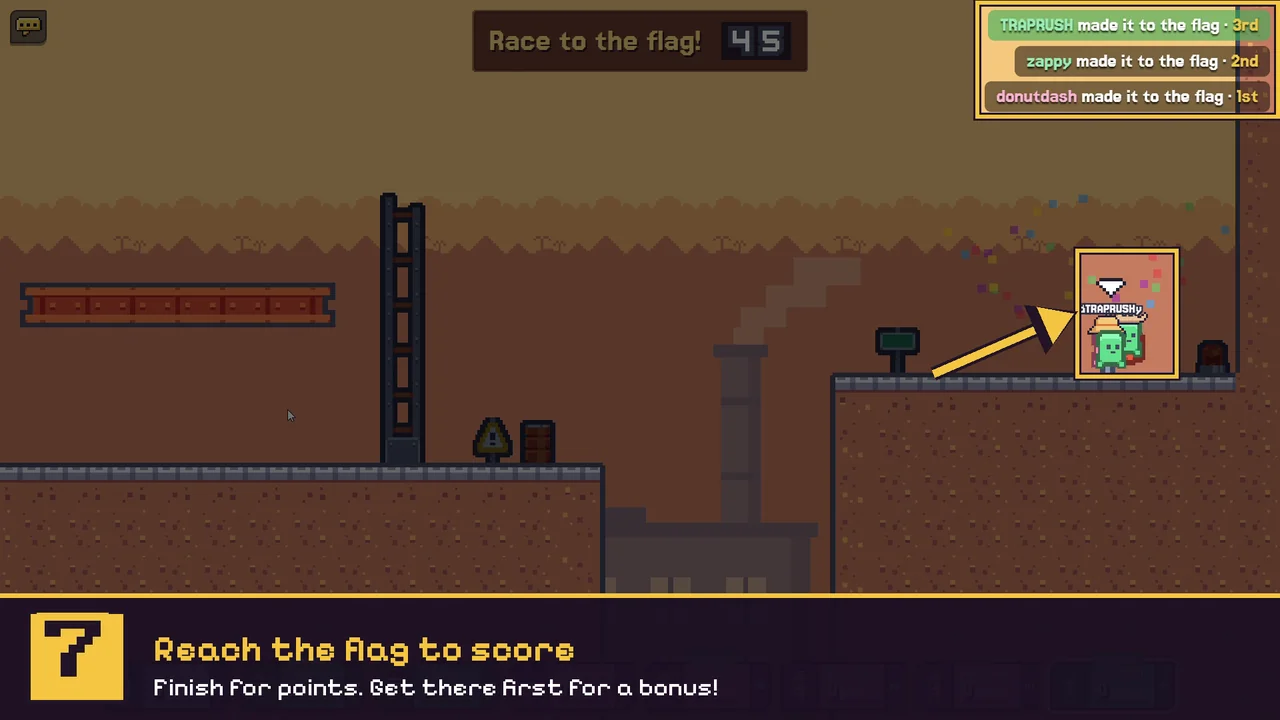
Results: score the round
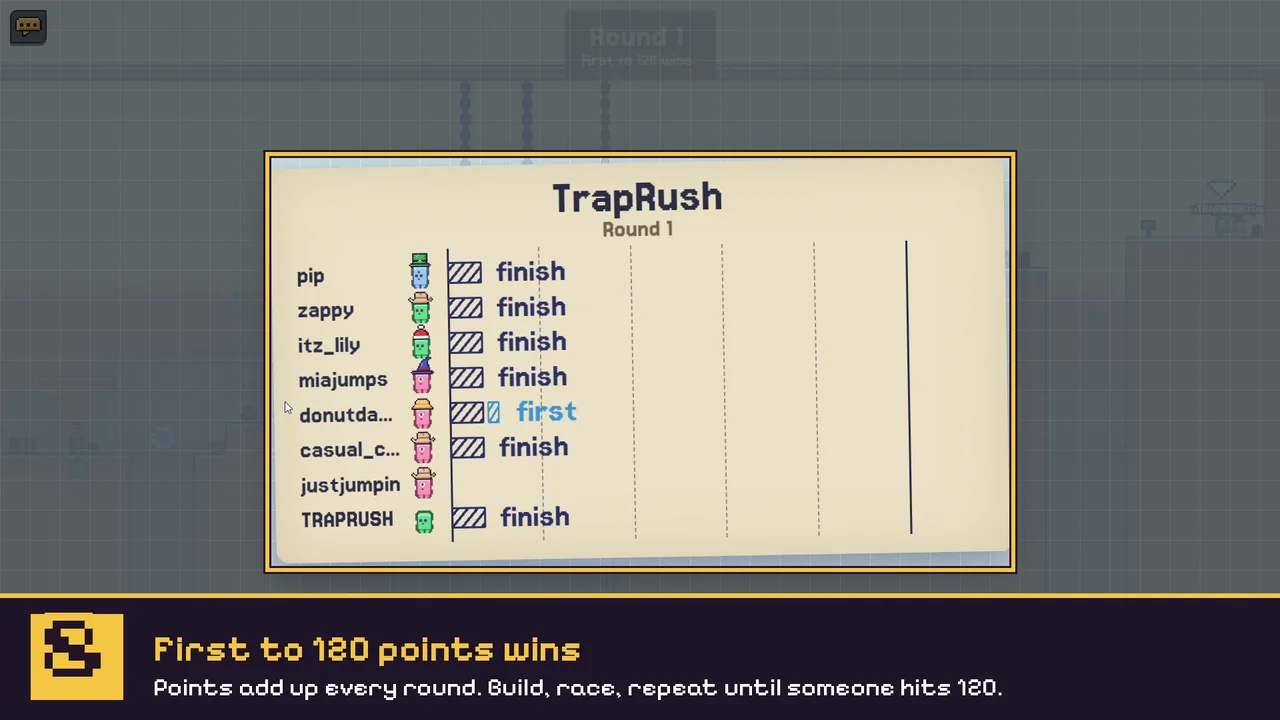
The scoreboard shows what everyone earned. The first player to reach 120 points wins the game, and the final podium shows the top three.
Controls
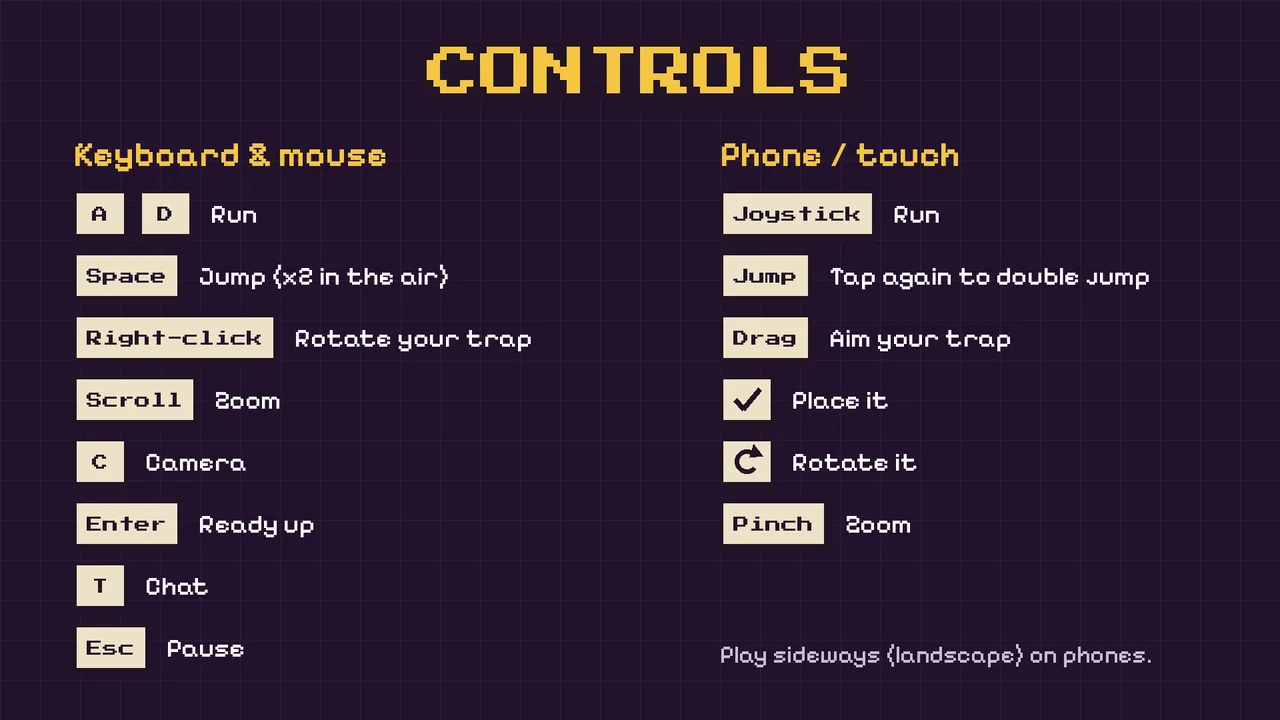
Keyboard and mouse
| Action | Keys |
|---|---|
| Run | A D or ← → |
| Jump, double jump, wall jump | Space. Tap for a short hop, hold for a full jump. |
| Pick an item | Click it, or press 1 to 9 |
| Place an item | Left-click |
| Rotate an item | Right-click |
| Zoom the camera | Mouse wheel |
| Follow everyone or just you | C |
| Ready up in the lobby | Enter |
| Chat | T |
| Mute sound | M |
| Menu and settings | Esc |
Phones and tablets
TrapRush works on touch screens. Turn your phone sideways. Move with the on-screen joystick and tap the jump button, tapping again in the air to double jump. When building, drag to aim your item, tap the rotate button to turn it and tap the check button to place it. Pinch to zoom.
Movement tips
- You get one extra jump in the air and one jump off a wall before you need to land again.
- Release jump early for a short hop. It helps you squeeze under saws and lasers.
- You can still jump for a split second after running off a ledge.
Scoring
Points are added up at the end of every race:
| How | Points |
|---|---|
| Reach the flag | 10 |
| First to the flag | +5 |
| Only player to reach the flag | +3 |
| Reach the flag while 25 or more points behind the leader (comeback) | +4 |
| Each player knocked out by an item you placed | 3 |
| Each coin you carry across the finish | 5 |
Too easy! If every player reaches the flag, nobody scores for finishing and traps score nothing either. Only coins still count. If nobody reaches the flag, traps score nothing. A good course is hard enough to catch someone, but not so hard that it catches everyone.
The first player to 120 points wins.
Items and traps
The Party Box draws from the items below. Most can be rotated. The ones that can only face left or right flip instead.
Building blocks
- Plank
- A three-tile platform. The simplest way to bridge a gap.
- Block
- A single solid tile. Good for a step, a wall or a ledge to wall-jump from.
- Stairs
- A staircase you can walk up without jumping.
- Platform
- Glides back and forth over eight tiles and carries you with it.
- Ice
- A slippery platform. You speed up and slow down very slowly on it.
- Honey
- A sticky platform that cuts your speed and jump height while you stand on it.
- Conveyor
- A moving belt that pushes you along. Flip it to change direction.
- Glass Block
- Holds you for about a second, then cracks and breaks.
Traps
- Spikes
- Knock out anyone who touches them.
- Saw
- A large spinning blade.
- Moving Saw
- A small blade that travels back and forth along a six-tile track.
- Spike Ball
- A spiked ball swinging on a chain like a pendulum.
- Trigger Spikes
- A block that looks safe until someone steps on it. Then spikes shoot up for a second.
- Crossbow
- Fires an arrow every two seconds in the direction it faces.
- Laser
- Charges up, fires a beam for two seconds, then rests for a second. Run through between shots.
- Fireball Launcher
- Lobs a fireball in an arc every second and a half. The fireball explodes when it lands.
- Black Hole
- Pulls nearby players toward its center. Get too close and you're gone.
Movement and pickups
- Spring
- Launches you hard in the direction it points.
- Fan
- Blows air in the direction it faces. Point it up to lift players high into the air.
- Teleporter
- Place an entrance and an exit. Step into one portal and come out of the other.
- Jetpack
- Pick it up during the race and hold jump in the air to fly. Its fuel lasts 12 seconds.
- Coin
- Grab it during the race and carry it to the flag for 5 points. If you get knocked out, you drop it and someone else can take it.
Special
- Bomb
- Explodes as soon as you place it and destroys every item nearby. Use it to clear a deadly trap or blow up the bridge everyone else needs.
Maps
The host picks the map when creating a room and can change it between games. Each map has its own layout, start and flag, and its own look:
- Forest, a grassy course with trees and mushrooms.
- Factory, with steel girders, pipes and scaffolding.
- Snowfield, a winter course with snowmen.
- Desert, with cacti, dead bushes and dry grass.
- Harvest, a farm with pumpkins, corn and hay.
- Graveyard, a spooky course with tombstones and jack-o'-lanterns.
Room settings
The host can change these when creating a room or from the lobby:
- Public or private. Public rooms show up when players press Play.
- Map. Any of the maps above.
- Max players. From 2 up to 12.
- Build time. 15, 25 or 40 seconds to place items.
- Race time. 45, 60 or 90 seconds to reach the flag.
- Camera. Let players switch freely, or lock everyone's camera on the whole group.
Tips and strategy
- Build a route only you can use. The best traps catch everyone else while leaving you a way through. If the course is too easy, nobody scores.
- Don't make it impossible. If nobody can reach the flag, your traps score nothing. Leave a gap that takes skill.
- Watch the other cursors. During the build phase you can see where everyone is aiming. Place a trap right where you expect them to land.
- Grab the bomb when you're behind. Wiping out a cluster of platforms can turn a round around.
- Learn the timings. Lasers, crossbows and fireball launchers fire on a steady rhythm. Wait one cycle before you go.
- Coins are risky. They are worth 5 points each, but the detour might cost you the race.
- Falling behind? Reaching the flag while 25 or more points behind the leader earns a comeback bonus.
Frequently asked questions
Is TrapRush free?
Yes. TrapRush is free to play in any modern browser. There is nothing to download or install.
Do I need an account?
No. You can play as a guest right away. Logging in with Google or Discord saves your profile, level, achievements, daily challenges and match history, and puts you on the leaderboard.
How many players can play?
A room holds up to 12 players. TrapRush is most fun with 3 or more.
Can I play on my phone?
Yes. TrapRush has touch controls for phones and tablets. Hold your device sideways.
How do I play with friends?
Create a room, make it private if you like, and send your friends the four-letter room code or the invite link.
I found a bug or need help. Who do I contact?
Open a support ticket on the TrapRush Discord server. See the About page for more.
Still not sure? Watch a round
This short clip plays a whole round from start to finish: grabbing a trap from the Party Box, placing it, racing to the flag past everyone's traps, and the scoreboard at the end.